PayPal

GBP

US$

Euro

With PayPal so you are 100% protected.

Either


  1. Select a currency on the left and make a PayPal purchase, for any amount,
  2. Send money via PayPal to simon@sdr-radio.com which saves the PayPal fees, or
  3. Use a Credit Card - you do not need a PayPal account!


Download Safely

To download software safely, follow these key tips from reputable sources:

  • Download from Legitimate Sources**: Ensure you download software from reputable websites or official app stores to minimize the risk of malware[2][3].
  • Avoid Mirror Sites: Refrain from downloading software from mirror sites as they may contain extra junk or malware[2].
  • Check App Stores: Utilize official app stores like Google Play Store, Apple App Store, or Microsoft Store for safer downloads[2].
  • Scan Downloads: Use tools like VirusTotal to scan files for malware before installation[2].
  • Check Website Securit*: Verify that the website is secure with SSL/TLS certificates before downloading software[3].
  • Review Permissions: Pay attention to the permissions requested by apps to avoid granting unnecessary access to your data[5].


By following these precautions, you can enhance your online safety and reduce the risk of downloading malicious software.


Citations:

[1] https://www.lifewire.com/how-to-safely-download-install-software-2625183

[2] https://www.howtogeek.com/how-to-stay-safe-when-downloading-software/

[3] https://codesigningstore.com/how-to-tell-a-download-is-safe

[4] https://allaboutcookies.org/download-files-safely

[5] https://www.iberdrola.com/innovation/app-permissions-and-secure-downloads

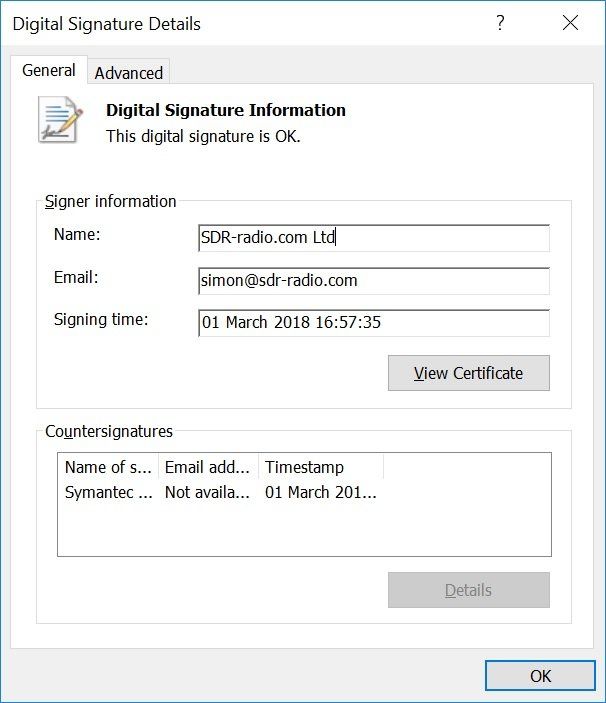
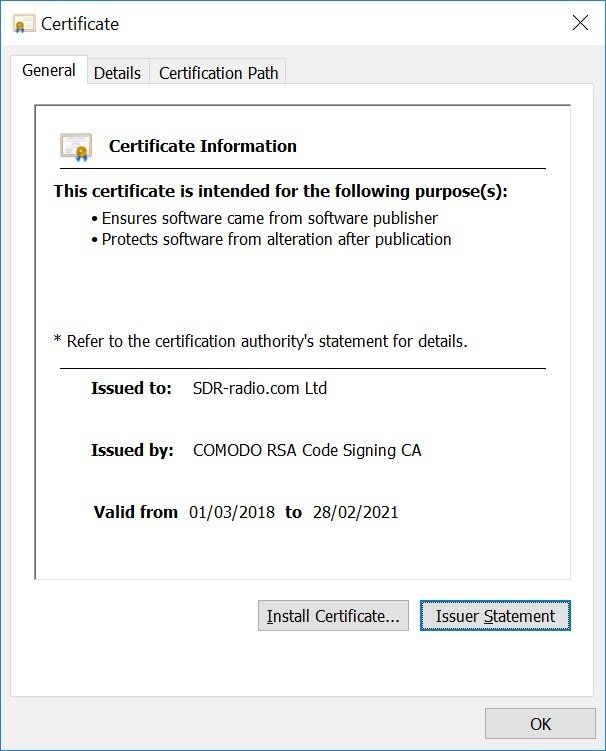
Digital Signature

Code signing is a process used by software developers to digitally sign their applications, drivers, and executables to assure end-users that the code has not been altered or compromised by a third party. This is achieved through the use of code signing certificates, which include the developer's signature, company name, and a timestamp if desired. By digitally signing their code, developers can help users verify the authenticity and integrity of their software, thereby protecting against fraud, malware, and theft[1][2].


Code signing certificates are used to inform users that the software is legitimate, comes from a known vendor, and has not been tampered with since being published. They also help in avoiding security alerts and warning messages during download and installation, thus providing users with peace of mind when accessing the software online[2].


The process of code signing involves applying a digital signature to the software or application before its release. This signature is used to assure users that they are receiving genuine and unaltered software. The use of code signing certificates can also help in increasing the number of software downloads and improving the brand image of the software developer[4].


In practical terms, code signing certificates work by attaching a unique digital signature to executable files before they are published. When a user encounters the signed code, their system software or application uses a public key to decrypt the signature and compare the hash used to sign the code with the hash on the downloaded code. If there is a mismatch, it can generate an error or prevent the download, depending on the platform, application, and client security settings[5].


Citations:

[1] https://www.digicert.com/signing/code-signing-certificates

[2] https://www.globalsign.com/en/code-signing-certificate/what-is-code-signing

[3] https://www.encryptionconsulting.com/education-center/what-is-code-signing/

[4] https://www.computer.org/publications/tech-news/trends/what-is-a-code-signing-certificate/

[5] https://www.thawte.com/resources/getting-started/how-code-signing-works/


Developer Benefits

The benefits of code signing for software developers include:


  1. Validates Code Integrity: Code signing provides an integrity check of the code using a hash function[1].
  2. Ensures Security: It helps in protecting the software and applications at every stage of their lifecycle – development, build, distribution, and maintenance[2].
  3. Promotes User Trust: It fosters customer trust by providing proof of the authenticity and integrity of the software[2].
  4. Upholds Brand Reputation: It prominently displays the name of the publisher on the install screen, alleviating the end user's concern over only downloading from trusted sources[2].
  5. Protects Intellectual Property: It helps in preventing malware injection, software and code tampering, and impersonation attacks[2].


In summary, code signing offers developers a way to validate the integrity of their code, promote user trust, uphold brand reputation, and protect their intellectual property.


Citations:

[1] https://www.encryptionconsulting.com/code-signing-top-5-benefits/

[2] https://www.appviewx.com/education-center/what-is-code-signing/

[3] https://www.globalsign.com/en/code-signing-certificate/what-is-code-signing

[4] https://www.entrust.com/-/media/documentation/whitepapers/importance-of-code-signing-wp.pdf?hash=C2ED15451ADAEF861359F4A4CACB6DC5&la=en

[5] https://signmycode.com/blog/what-is-code-signing-benefits-of-digicert-code-signing-certificate

Kits Are Signed

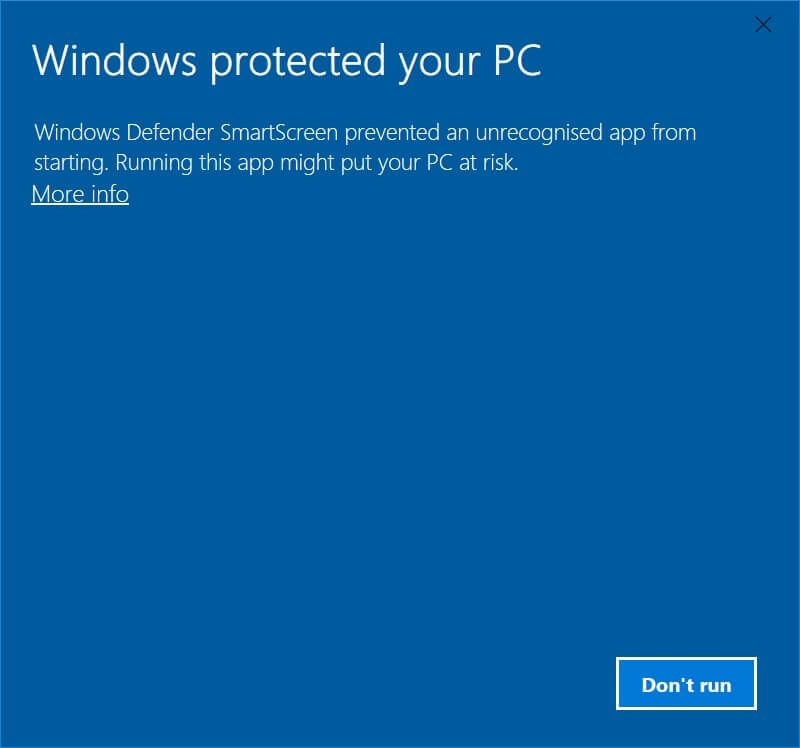
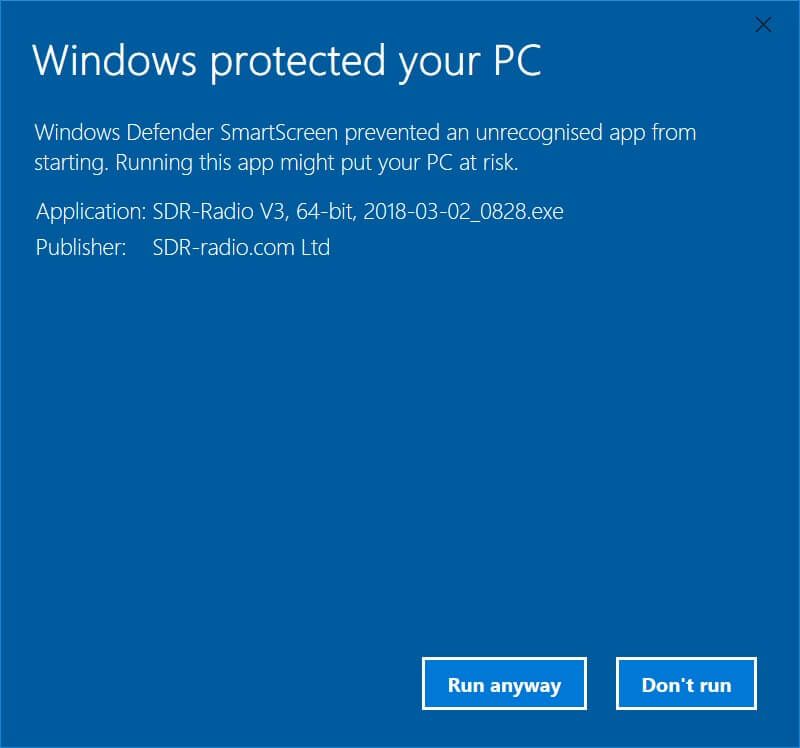
All kits on this site are signed, the certificates are below. If you see a popup window 'Windows protected your PC' when installing then click More info and check the publisher is shown as SDR-Radio.com Ltd.
Windows 32-bit 64-bit Difference

The main difference between a 32-bit and a 64-bit Windows operating system lies in how they handle information. A 64-bit system can handle large amounts of random access memory (RAM) more effectively than a 32-bit system, making it more responsive when running several programs at the same time and switching between them frequently[2][4]. A 32-bit OS can only address a bit less than 4GB of memory in total, while a 64-bit OS can address more than 4GB of RAM, allowing for better performance, improved graphics, and enhanced security[3][5]. To check which version of Windows you have, you can right-click the Start button and select System in Windows 10, or click System in the Control Panel for Windows 7 and 8[4].


Citations:

[1] https://support.lenovo.com/gb/en/solutions/ht117173-how-to-know-if-my-computer-is-32-bit-or-64-bit-windows

[2] https://support.microsoft.com/en-gb/windows/32-bit-and-64-bit-windows-frequently-asked-questions-c6ca9541-8dce-4d48-0415-94a3faa2e13d

[3] https://www.pcmag.com/news/32-bit-vs-64-bit-oses-whats-the-difference

[4] https://www.pcworld.com/article/415719/why-it-matters-whether-your-windows-is-32-bit-or-64-bit.html

[5] https://www.hellotech.com/blog/whats-the-difference-between-32-bit-and-64-bit

Release

Below is the current release. Download from either Microsoft or Dropbox as an executable or direct from this site as a ZIP (unpack and install the executable). Previous releases are available here.

Installing

  • Kits are cumulative,
  • There is no need to uninstall a previous kit,
  • All current settings are saved - nothing is lost,
  • The Windows Start menu is rebuilt - any changes made are lost.

32-Bit, 64-Bit Kits

Separate kits are available for 32-bit and 64-bit versions of Windows.

If you are not sure whether you are using 32-bit or 64-bit Windows follow this link to Microsoft's website .

Crashes

  • If you experience a fatal crash (Please Wait is shown) please install the latest beta (if available).

3.3

February 5th, 2024

Release notes

 32-Bit:    Microsoft   Dropbox   Webhost

 64-Bit:    Microsoft   Dropbox   Webhost

SDRPlay RSPdx-R2

May 22nd, 2024. This DLL supports the SDRplay RSPdx-R2, code-signed for safety.

  1. In SDR Console: select Ribbon bar, Tools, Files, Installation to open the installation folder.
  2. Close SDR Console.
  3. Extract SDRSourceSDRplayV3.dll from the ZIP.
  4. Replace SDRSourceSDRplayV3.dll with the new file from the ZIP.
  5. Start SDR Console.

Download 64-Bit:    Microsoft   Dropbox


This version is on Long Term Support (LTS); fatal errors and incorrect processing will be fixed, otherwise there will not be changes. This is to ensure stability.

Simon's World Map

An ideal companion for SDR Console, world map is another free program available on this site.

A map of the world with the time of 15:11
A map of the world with the time of 17:54

3.2

September 18th, 2022

Release notes

 32-Bit:    Microsoft   Dropbox   Webhost

 64-Bit:    Microsoft   Dropbox   Webhost

Visit Simon's website:

Beta

These kits have been tested by the developer (!) and test team but may still have bugs; please report errors and ask questions in the support forums. Beta kits give you an opportunity to see new features; you can always return to the current release if needed. Once a beta kit is stable it will be officially released.

Beta 3.4

Build 4170

August 27th, 2026

Release Notes


 32-Bit:    Microsoft   Dropbox

 64-Bit:    Microsoft   Dropbox

Simon's World Map

An ideal companion for SDR Console, world map is another free program available on this site.

A map of the world with the time of 15:11

Beta 3.4

Build 4138

July 26th, 2026

Release Notes


 32-Bit:    Microsoft   Dropbox

 64-Bit:    Microsoft   Dropbox

Simon's World Map

An ideal companion for SDR Console, world map is another free program available on this site.

A map of the world with the time of 15:11

Beta 3.4

Build 3972

February 10th, 2026

Release Notes


 32-Bit:    Microsoft   Dropbox

 64-Bit:    Microsoft   Dropbox

SDR Television

See me, hear me - another free program available on this site.
A map of the world with the time of 15:11

Beta 3.4

Build 3871

November 1st, 2025

Release Notes


 32-Bit:    Microsoft   Dropbox

 64-Bit:    Microsoft   Dropbox

Beta 3.4

Build 3818

September 9th, 2025

Release Notes


 32-Bit:    Microsoft   Dropbox

 64-Bit:    Microsoft   Dropbox

Beta 3.4

Build 3569

January 3rd, 2025

Release notes


 32-Bit:    Microsoft   Dropbox

 64-Bit:    Microsoft   Dropbox

Recent Blog Posts

By Simon Brown • October 9, 2026
Introduction During September and October 2026 new noise blankers have been implemented to improve what was a weak part of the SDR Console signal processing chain. Using the knowledge of ChatGPT, this exercise took only five days and the result is shown below. These noise blankers will be available sometime in October 2026. Impulse Noise A noise blanker should remove Impulsive interference such as electrical switching noise, electric-fence pulses, ignition interference and short static crashes The screenshot below shows the new wideband noise blanker in action. The top half of the main waterfall shows the noise created by an electric fence, The bottom half shows the noise removed by the new wideband noise blanker.
By Simon Brown • October 9, 2026
RadioClear AI – A New Approach to Speech Noise Reduction Improving Weak Signal Reception One of the biggest challenges when listening to weak radio signals is separating speech from background noise. As signals become weaker, the noise can overwhelm the speech, making conversations difficult or sometimes impossible to understand. Conventional noise reduction has been available in software-defined radios for many years. Most systems analyse the received audio, estimate which frequencies contain noise, and reduce their amplitude. This can work very well, but there is always a compromise. Too little suppression leaves distracting background noise, while too much can make speech sound metallic, watery or unnatural. Important speech information may disappear along with the noise. For some time, I have wanted to develop a better approach for SDR Console, particularly for weak SSB reception. The objective was not simply to produce quieter audio, but to improve intelligibility while preserving the natural characteristics of the speaker's voice. The result is RadioClear AI , a new noise-reduction system combining adaptive digital signal processing with a recurrent neural network and complex temporal filtering. Comparison With RNNoise RadioClear AI and RNNoise both use neural networks to improve speech intelligibility by reducing unwanted background noise, but they employ different approaches. RNNoise is a well-established, computationally efficient solution that combines traditional signal processing with recurrent neural networks to estimate frequency-dependent suppression gains. It performs well across a variety of speech applications and has the advantage of being lightweight and widely tested. RadioClear AI has been developed specifically with radio communications in mind, particularly weak SSB signals affected by receiver noise. It combines adaptive noise estimation and speech-aware spectral processing with a recurrent neural network that generates complex temporal filter coefficients. Unlike conventional gain-based suppression, this approach uses information from consecutive audio frames to adjust both the amplitude and phase of the enhanced signal. Both approaches have strengths, and their relative performance depends on the type of interference, signal conditions and training material. RNNoise benefits from its maturity, efficiency and general-purpose design, while RadioClear offers a more specialised processing architecture tailored to weak radio reception. In initial listening tests, RadioClear AI has produced encouraging results, with cleaner background noise and natural-sounding speech compared with RNNoise on the signals tested. However, these observations are subjective, and controlled comparisons across a wider range of recordings would be needed to establish a consistent performance advantage. Further improvements to RadioClear's training data are planned, particularly using cleaner speech recordings and a greater variety of speakers and receiver noise conditions. Combining Traditional DSP with Artificial Intelligence Rather than relying entirely on artificial intelligence, RadioClear AI uses two complementary processing stages. The first stage is based on conventional digital signal processing. It continuously estimates the background noise and analyses the incoming audio to identify frequencies likely to contain speech. It also examines harmonic relationships, which are particularly important for voiced speech. This information is used by an adaptive spectral suppressor to reduce background noise while protecting important speech components. The result is an initial noise-reduced signal that provides a stable foundation for the neural network. This arrangement has an important advantage. The neural network does not need to learn everything about noise estimation and suppression from scratch. Instead, it receives a partially cleaned signal together with detailed information about the speech and noise characteristics. The neural network can then concentrate on improving the result. Looking Beyond Individual Audio Frames One of the limitations of conventional spectral noise reduction is that it generally operates by adjusting the amplitude of individual frequency components. However, speech is not a collection of unrelated frequencies. It is a continuously evolving signal with strong relationships between consecutive moments in time. RadioClear AI takes advantage of this. The incoming audio is divided into overlapping frames, and each frame is converted into a frequency-domain representation using a Fast Fourier Transform (FFT). The neural network receives 400 features describing the signal across 40 frequency bands. These include information about signal power, estimated noise, signal-to-noise ratio, speech probability, harmonic content and the relationships between consecutive complex spectra. At the heart of the system are two Gated Recurrent Unit (GRU) layers. Unlike a simple feed-forward neural network, a GRU maintains information about previous frames, allowing the system to recognise how speech changes over time. This temporal information is particularly valuable when the speech is partially obscured by noise. Complex Temporal Filtering The most significant difference between RadioClear AI and a conventional neural noise reducer is the way the network processes the audio. Many neural noise-reduction systems generate a set of gains that are applied to individual frequency bins. Although effective, this approach primarily controls amplitude. RadioClear AI goes further by generating complex-valued filter coefficients . For each frequency bin, the system combines information from the current audio frame and the previous two frames. The neural network determines how these spectra should be combined to produce the enhanced signal. Because the coefficients are complex, the system can modify both amplitude and phase. It can also exploit the relationships between consecutive frames rather than treating each frame independently. This gives the network considerably more flexibility than a conventional spectral gain mask. The neural network produces coefficients for 40 frequency bands, which are interpolated across the 257 FFT frequency bins. A three-tap complex temporal filter then generates the enhanced spectrum, which is converted back into audio. The complete process operates continuously in real time. Training the Neural Network The neural network is trained offline using examples of speech mixed with receiver noise. During training, the system is provided with both the noisy signal and the corresponding clean speech. It learns to generate complex filter coefficients that make the processed spectrum resemble the clean reference as closely as possible. An important development decision was to train the network against the actual reconstructed complex spectrum , rather than simply asking it to reproduce a set of ideal filter coefficients. This means the training process directly rewards improvements in the enhanced signal. The current network contains approximately 568,000 parameters and was trained using speech mixed with real receiver noise at signal-to-noise ratios ranging from +15 dB to −10 dB. The training and evaluation process showed substantial reductions in complex spectral error compared with the initial deterministic noise-reduction stage. The improvements were particularly encouraging at the lowest signal-to-noise ratios, where additional noise reduction is most valuable. Of course, mathematical measurements are only part of the story. A lower spectral error does not automatically guarantee better-sounding speech, so listening tests remain essential. Real-Time Processing and Listening Results The neural network was originally developed and trained using Python and PyTorch. The complete inference engine was then implemented in C++ for integration into SDR Console. To ensure that the C++ implementation behaved correctly, its results were compared directly with the Python reference. This included the recurrent network, complex coefficient generation, frequency interpolation and final spectral filtering. The results agreed to floating-point precision, giving confidence that the real-time implementation reproduces the trained model accurately. Initial listening tests have been very encouraging. On weak SSB signals, RadioClear AI produces natural-sounding speech with substantial background-noise reduction. In my own listening comparisons, the results have been noticeably better than RNNoise, particularly in preserving speech quality while reducing unwanted noise. An additional aggressiveness control has also proved useful, allowing stronger suppression of residual noise where desired. As always, the best setting depends on the received signal. Maximum noise reduction is not necessarily the same as maximum intelligibility, so the listener retains control over the amount of processing applied. What Comes Next? Although the current results are very promising, development is far from finished. One area where I expect further improvements is the training material. The first model was trained using a relatively small amount of speech, and the supposedly clean reference recording contained a little background noise. This is not ideal. If noise is present in the clean training reference, the network can learn to preserve some of that noise because it is treated as part of the wanted signal. The next step will therefore be to create a much better training dataset using genuinely clean speech recordings, ideally from several different speakers, together with a wider variety of real receiver noise. I intend to retain the existing neural architecture initially so that improvements from better training data can be evaluated independently. There is also potential to extend the system to other receiving modes, including AM and music, while retaining the existing 8 kHz neural processing engine. Final Thoughts RadioClear AI represents a significant step forward in my work on speech noise reduction for SDR Console. The most interesting aspect is not simply that it uses artificial intelligence, but how conventional DSP, recurrent neural processing and complex temporal filtering work together . By combining an adaptive noise estimator, speech-aware spectral processing and a neural network capable of exploiting relationships between consecutive audio frames, the system can perform noise reduction that would be difficult to achieve using conventional spectral attenuation alone. The aim has always been straightforward: make weak radio signals easier and more pleasant to listen to, without destroying the speech we are trying to recover. The initial results suggest that this approach has considerable potential, and I look forward to seeing how much further it can be improved with better training recordings. RadioClear AI is still evolving, but it is already producing some of the best weak-signal speech noise reduction I have achieved in SDR Console.
By Simon Brown • October 9, 2026
Can We Build a Better SSB Demodulator?
By Simon Brown • October 9, 2026
The Future of SDR Software
By Simon Brown • September 14, 2026
History
By Simon Brown • September 14, 2026
SDR Television v1.1.6 September 14th, 2026. To avoid confusion with the test versions of 1.1.5, this kit is now 1.1.6. Receiver Improved Gardner timing recovery. Improved Sum-product decoding. Redesigned soft decoder. Redesigned RRC matched filter. Note: this kit should be able to gain a dB or so sensitivity when detecting the frame header. v1.1.6 will have even better frame detection, hence better weak signal decoding. LDPS Settings, important! Open this page, select Defaults . There is no need to adjust the Sum-product optons, these options are only for development and may be hidden in future kits. Transmit Provider changed from SDR Television to SDR TV, some receivers only display a maximum of 18 characters in the provider field. Downloads are at the bottom of this page.
Show More

Release Philosophy

The software development philosophy with V3 is Release early, release often so you can expect frequent releases.

The Blog will be updated with changes as new kits become available.

Old Kits

The v1.5 and v2.3 kits are here.

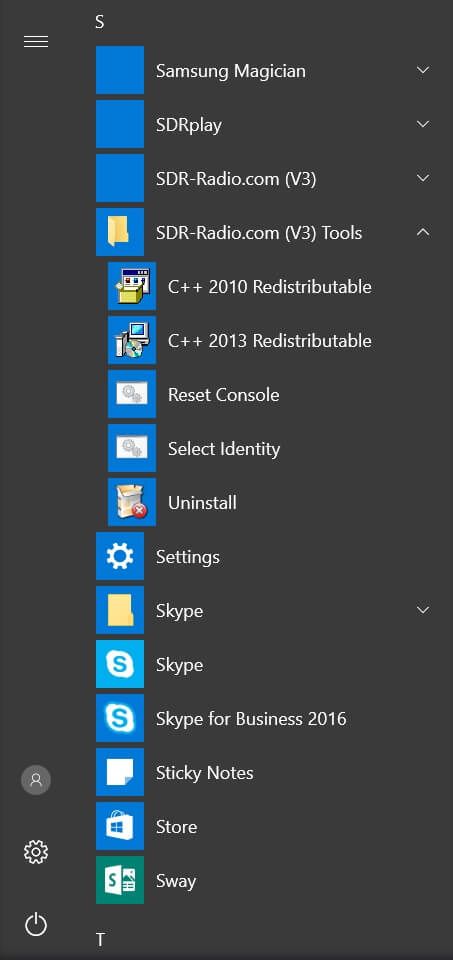
C++ Redistributables

The software requires the C++ 2010, 2013 and 2019 redistributable kits from Microsoft, these are contained in the SDR-Radio.com kits and installed on your system as needed.


If you see an error message such as ' Msvcp120.dll not found ' when starting SDR Console then the 2013 kits must be reinstalled, if the message is  ' Msvcp140.dll not found ' then the 2019 kit must be reinstalled.


  • 120 => 2013 Redistributable
  • 140 => 2019 Redistributable


To reinstall, select a kit from the SDR-Radio.com (V3) Tools entry in the Start Menu (see image).


  • Uninstall, then
  • Install.


⚠️ Never copy missing DLLs manually, always use the Redistributable kits.